Your fact-checking questions answered

I spoke today about fact-checking at the 2025 national conference of ACES: The Society for Editing.

The theme was answering the audience’s questions about fact-checking, since often I present a lot of helpful tips and methods of fact-checking and verifying information, but I don’t leave time for many questions.

I got a lot of good ones … and four people stayed after the session for about a half hour to talk more about the subject. That certainly made me happy!

Yes, I’m a fact-checking nerd. I love it when people I know through ACES email me with a “I can’t find out anything about this” question and I can direct them to the right places. It’s especially fun to actually find the answer to a hard-to-figure-out query.

I got some good questions today. These slides have two of the questions posed on the app before the session began, and I worked up some resources. One is timely; it’s about data resources that might be disappearing right now from the web because they are part of government websites. I can’t say some information won’t just disappear, but there are groups working to make sure that doesn’t happen too often.

This next slide show is the original presentation, which is available to people who attended the conference on the conference app. But I’m all about sharing with anyone else who might need these tips.

If you have questions about fact-checking, find me on Threads, LinkedIn or Bluesky or email me through the contact form here.

By the way, the question of using AI for fact-checking did come up. Here’s my quick take on that: It’s a tool like a lot of other tools. It can’t do all the work for you, and it needs to be used correctly.

Consider these questions:

  1. Can AI do fact-checking? Yes. Does it make mistakes? Yes. Does it miss things? Yes.
  2. Are you sure you want to run an entire unpublished piece of writing through an LLM AI chatbot to have the chatbot check it? I’d be wary, because many times you are giving that system a right to that information, and you are losing your control over it.
  3. If an AI chatbot can do a better job than you, then why do we need you?
  4. Can an AI fact-check be trusted if it doesn’t provide sources? No. You need to provide sources for your human fact-checks. Don’t use an AI system to fact check if that system doesn’t include links to where that information came from.

Generally, I look at AI in this respect the same way I look at Wikipedia. Wikipedia can be very useful. But it should never be your only source. AI shouldn’t be your only fact-checker. You need to fact-check that chatbot when it’s done. So depending on what you are trying to accomplish, you might not be saving any time. (And then you might save enough time to make it worthwhile.)

Factor all of those things in, then make an informed decision about how to approach a specific fact-check.
Fact-checking resources

At the spring 22024 ACES: The Society for Editing conference, I presented a session on how to streamline facct-checking.

I’ll admit that I told the 100 or so people there that often there is no way to streamline fact-checking. It takes effort and digging in a lot of cases. But knowing the best places to start can help out a lot. And that was the gist of my presentation.

I provided a lot of websites and URLs, and they are mostly included in this attached PDF.

Last I checked, the links all work, but let me know if they don’t.

By the way, there was a lot of discussion all around this spring’s conference about AI and editing. I’m not one to say that AI won’t help at all, but I bring a healthy amount of skepticism when it comes to AI and fact-checking. (Some portion of that is I think no one source is good enough for fact-checking; you need two sources. But a lot is that large language AI imagines a lot of stuff right now. Maybe that will change someday).

Anyway, hope this is helpful.

Image investigation

The purpose of this post is easy. I need a photo online that I can use for phot investigation. So I’m just posting it here. I will come back later and add more information about why I’m doing this.

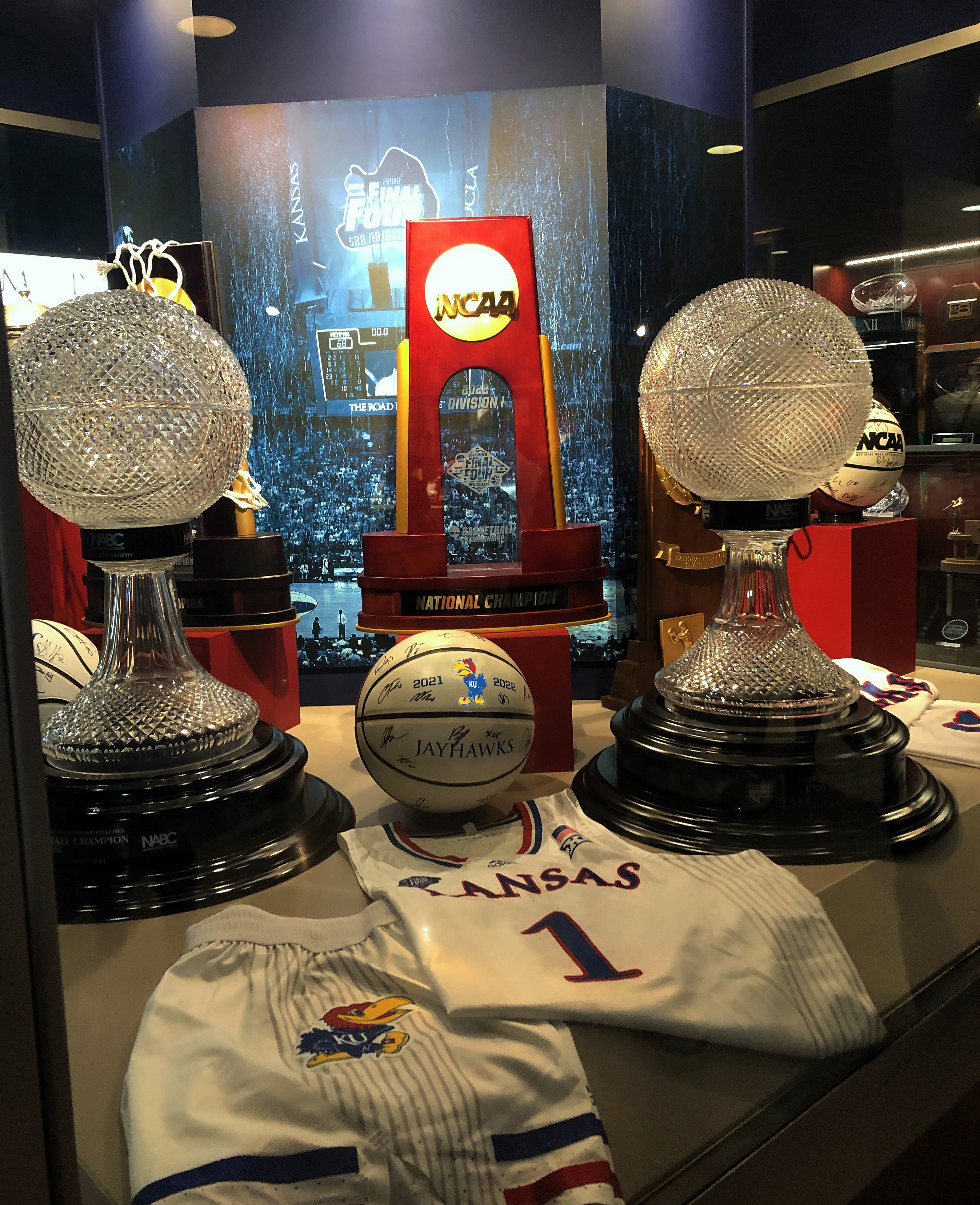
Altered version of a photo I took on April 1, 2023, at Allen Fieldhouse. This photo has been lightened, and a new logo has been placed on the ball.

Fact-checking info

The ACES: The Society for Editing conference is back in person this week, after a two-year virtual run, and Thursday afternoon I’ll be talking about doing fact-checking on the fly.

A lot of my presentation will be about getting a list of trusted sources, and I’m always interested in adding to that list. So if you have good trusted sources, put them in the comments here.

Meanwhile, I’m not really going to be spending a lot of time on social media or video verification, but in today’s climate, those are really important topics.

Here’s a video I made for one of my online classes about vetting video posted on social media.

Meanwhile, if you are in San Antonio at ACES this week, my session is right after the lunch break on Thursday. See you there!

Conscious Language resources for copy editors

This week I’m speaking at the virtual Fall National College Media Convention about using conscious language. It’s a topic I bring up often in my editing classes and one I was thinking about while I was still working daily as a news copy editor.

Using conscious language isn’t about having a list of banned words, and it’s not about being politically correct (a term that many use as derogatory). It’s about being fair, accurate and inclusive. And it’s about understanding your audience, a good thing to all around.

I put together a 20-minute presentation in 2020 about conscious language as a way of introducing the topic to high school journalism students. In the past year and a half, I’ve updated it with new examples (and some examples that aren’t exactly new, but that I didn’t previously have in the presentation.)

Many of those examples are based on things I’ve felt more strongly about since reading articles about them. Others are just things I’ve personality been keen on (look for my comments on terms for people over a certain age in a previous blog post, Words Matter, So I Need a New One.

So I thought it would be a great idea to share some of those articles, and some of the resources I use, with all of you.

Style guides that help when making conscious language choices

Style guides:

A few interesting articles to read

Reclaiming the ‘F’ Word: It’s For the Children, HuffPost, 08/14/2013

Elderly No More, New York Times, 4/19/2012

Covering Poverty: What to Avoid and How to Get It Right , Conscious Style Guide, 12/10/18 

Associated Press Stylebook blogMaking a Case for the Singular TheyThe Decision to Capitalize Black

Finding new language for space missions that fly without humans, Planetary Society, 10/5/15

On “Person-First Language”: It’s Time to Actually Put the Person First, the Radical Copy Editor, 7/3/2017

Changing the terminology to ‘people with obesity’ won’t reduce stigma against fat people, The Conversation, 10/14/2019

You can find more great articles on the subject linked on the Conscious Style Guide website.

Coding for journalists

This semester, I’ve started teaching a new class at KU, Tech Tools: Web Coding, which is essentially coding for journalists. (Although there are nonjournalism students in the class.)

aI did all the initial prep work for starting this class as part of the William Allen White School’s move to make 3 hours of Tech Tools classes part of the journalism core. Students take a couple of 5-week-long 1 credit. hour classes in things like video editing, graphic design, coding, etc.

The idea behind my class is that journalists benefit from having some knowledge of coding and also how the backend of a common CMS works — although the class is just an introduction. I tell students that they won’t be able to take my class and then site down and code a website the next weekend.

But I also know that I benefited at the newspapers I worked at from understanding the computer system and being able to troubleshoot bad code on the website. Having an interest in that lead to at least one promotion.

My students are doing their coding work in one of two code learning/testing sites, either JSFiddle or Codepen. While I’m showing them how to set up a project correctly (with a nested folder system, and index file, and a regular text editor), they’re not really coding a site and these “playground” sites work well for them.

They’re using their WordPress portfolio websites (our students have to create online portfolios) to display some of their work using the custom HTML block and some custom CSS.

I wanted to post some examples here, but my version of WordPress won’t allow the custom HTML (I’m not paying for bells and whistles). But the class blog will, and we’ll be posting some of the student work there.

https://jour725.blog.ku.edu

Another test for my class (or learning about digital tools for journalism)

In my Digital Media class the past two weeks, we’ve been talking about multimedia graphics and maps. Today, we were making annotated maps with Google Maps and we wanted to test putting in a walking map without signing in to my maps on Google.

So here it is. It’s a map to walk from the Journalism School at KU to Fraser Hall.

A second, more detailed map

And here’s a map of campus that I annotated on Google Maps with three walks, from Stauffer-Flint Hall to Fraser Hall, from Wescoe Hall to the Kansas Union and from Wescoe Hall to the DeBruce Center.

I made this map after signing in. The custom icons all have additional information not in this text. (Check out the video on the Stauffer-Flint icon.)

If you click on the links and markers, you’ll find photos, info about the buildings, a video, distances of the walks and other information.

The purpose of this test was to show the class that you can easily (and cheaply) do an interactive map that can be embedded almost anywhere. If you click on the second map, and click on any icon, you’ll see additional information and graphics/photos. So you can put background in the map, in an easily accessible way, without having to put it in the story.

If I was working on a story on a major campus construction, say, I’d prepare a map like this and put a lot of the information on sidewalk closing, news buildings, rehab plans, etc. in the map, and keep the main story to the construction plan information.

Catching up

You would think during the whole coronavirus shut down, I would have a lot of time to blog. But running my journalism and editing classes online since mid-March has actually taken more time than usual.

Every minute I gain from cutting out my commute and throwing on a Zoom worthy wardrobe (so who cares if you’re still wearing pajama pants?), I used revamping previously in-person lessons.

OK, there was a bit of ennui in there now. And a couple of special projects.

Here’s one project I did in preparation for teaching in the fall, where I’ll be doing hybrid in-person/distance learning. One thing you’ll see from this presentation, is that I’m a tools geek who likes to try a lot of new tech.
https://spark.adobe.com/page-embed.jsBeyond presentation

I did this presentation for J-School Tech at the University of Kansas School of Journalism and Mass Communications.